Planning Poker Plus is a lightweight web app for agile teams that want faster, clearer estimation sessions without setup friction. It combines a simple board-and-card workflow with real-time updates, private voting, and shareable join options so teams can move from discussion to aligned estimates quickly.
Built with a Golang backend and a single-page frontend, Planning Poker Plus keeps the experience focused: register your name, create or join a board, vote with Fibonacci cards, reveal, discuss, and start the next round.
What It Does
Planning Poker Plus is designed around the core planning poker loop:
1. A player creates a board and becomes the board owner.
2. Teammates join using a short board code, direct link, or QR code.
3. Everyone votes privately with Fibonacci cards.
4. The owner reveals all cards at once.
5. The team reviews results and starts a new round.
This makes it useful for backlog refinement, sprint planning, and any collaborative estimation session where you want to reduce anchoring bias and keep decisions transparent.
Key Features
– Fast board setup with short, human-friendly board codes.
– Join by code, shareable URL (`?board=…`), or generated QR code.
– Standard Fibonacci deck: `1, 2, 3, 5, 8, 13, 21, 34, 55, 89`.
– Private voting until reveal, so choices stay independent.
– Owner-only reveal and round reset controls.
– Round tracking with instant reset for the next estimate.
– Real-time board refresh using long polling and ETag/version checks.
– Post-reveal insights including mean vote, plus lowest/highest voter markers.
– Session-based player identity with remembered display name.
– Built-in abuse protection for board creation, invalid board lookups, and QR endpoint traffic.
– SEO-aware public pages (`robots.txt`, `sitemap.xml`) while board views stay `noindex`.
How It Works
1. Register and Enter the Lobby
Players register with a display name. The app creates a browser session cookie and keeps the player name in local storage for convenience. Returning users can resume quickly, and expired sessions are handled gracefully by re-registration prompts.
2. Create or Join a Board
Creating a board generates a unique six-character code. Team members can join by entering the code or opening the direct board link. The invite panel also provides a QR code image for quick mobile access.
3. Vote Privately
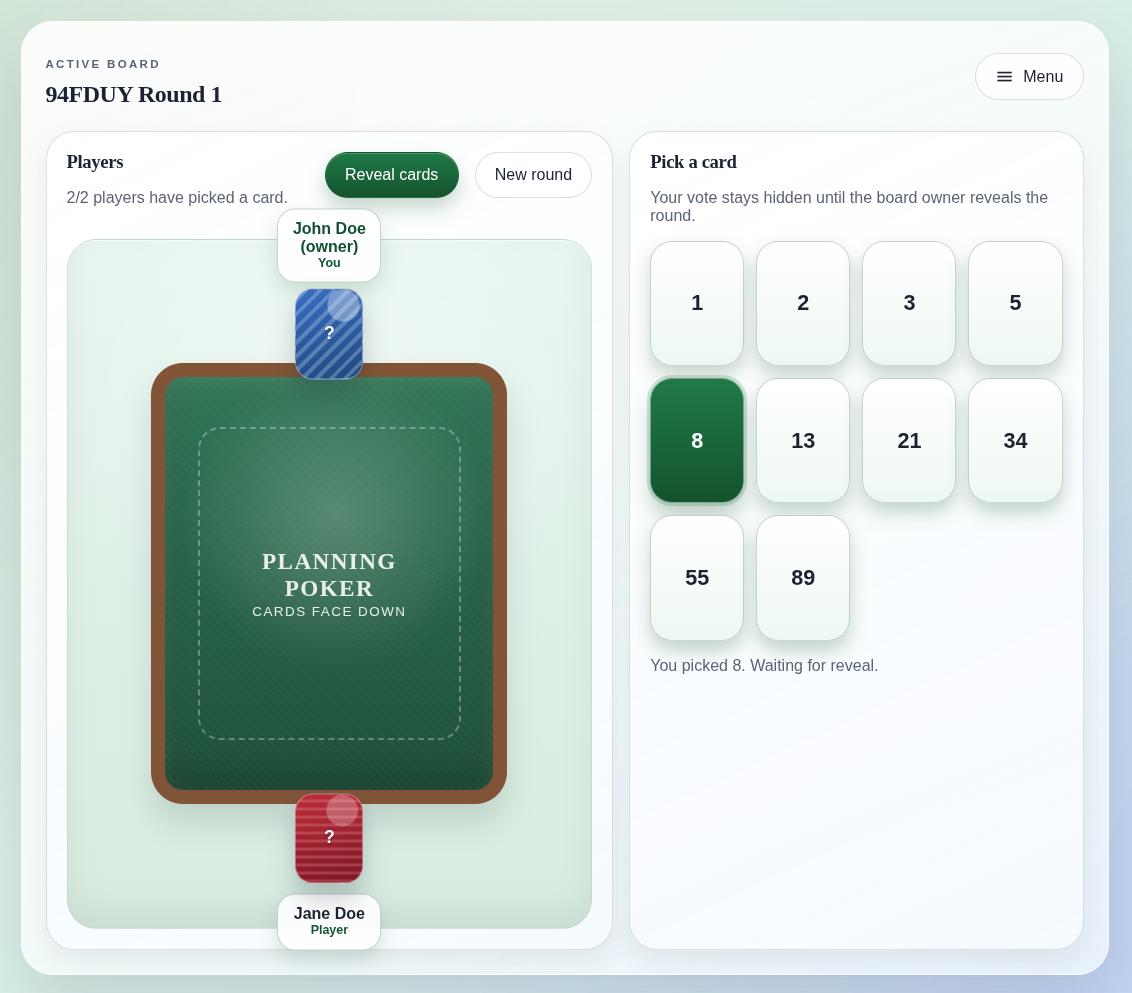
Each player picks one Fibonacci card. Before reveal, the board only shows whether someone has voted, not the actual value. This protects independent estimation and avoids early bias.
4. Reveal, Discuss, and Repeat
When everyone is ready, the owner reveals the round. At reveal time, the board shows all card values, calculates the mean vote, and highlights lowest and highest voters to support focused discussion. The owner can then reset the board to start the next round immediately.
5. Keep Boards Responsive and Clean
The frontend continuously syncs board state with the backend via efficient long polling. On the server side, stale boards and sessions are purged automatically after inactivity windows, helping keep the system clean over time.
Where to Find Planning Poker Plus
You can find here Planning Poker Plus.